
Smartphone as a Working Key: 2FA Risks, SIM-Swap Threats and How to Set Up Reliable Backups
By 2026, the smartphone has effectively become a universal working key. It unlocks email accounts, cloud storage, banking apps, corporate dashboards, password managers and even physical offices through NFC credentials. For many professionals, losing access to a handset means losing access to work itself. At the same time, the same device is now the weakest link in personal and corporate security chains. SMS-based verification, app-based authenticators and mobile network controls are frequent targets for fraud. Understanding how two-factor authentication works, how SIM-swap attacks are executed, and how to configure proper backup options is no longer optional. It is a core element of digital hygiene.
How 2FA Works in Practice and Where the Weak Points Lie
Two-factor authentication (2FA) combines something you know, such as a password, with something you have, such as a phone or hardware token. In most consumer and small business environments, the second factor is either an SMS code or a time-based one-time password (TOTP) generated by an authenticator app. In theory, this dramatically reduces the risk of account takeover. In practice, the level of protection depends entirely on how the second factor is implemented.
SMS-based 2FA remains widely used in 2026 despite long-standing concerns. Text messages travel through telecom signalling systems that were not originally designed with modern cyber threats in mind. Attackers can exploit SS7 vulnerabilities, perform SIM swaps, or socially engineer mobile operators to redirect messages. Once control of the phone number is achieved, SMS codes become trivial to intercept.
Authenticator apps based on TOTP are significantly stronger because codes are generated locally on the device and are not transmitted over the mobile network. However, they still depend on the security of the smartphone itself. If malware gains accessibility permissions, or if the device is unlocked and stolen, attackers may access both the primary account and the second factor on the same device. That defeats the separation principle 2FA was meant to provide.
App-Based Authenticators vs Hardware Security Keys
Authenticator apps such as Google Authenticator, Microsoft Authenticator or Authy generate codes tied to a shared secret stored on the device. They are convenient and free, which explains their popularity. Yet they rely on the integrity of the operating system. A compromised handset can compromise every account protected by that app.
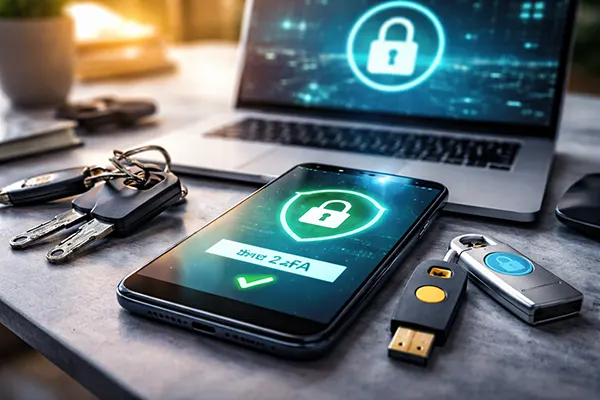
Hardware security keys compliant with FIDO2 or WebAuthn standards offer stronger isolation. Devices such as YubiKey or Titan Security Key store cryptographic keys in secure hardware and perform challenge-response authentication without exposing reusable secrets. Even if a phishing page tricks a user into entering credentials, the key will not authenticate to the wrong domain. This phishing resistance is a major advantage in 2026, when targeted credential-harvesting campaigns are highly sophisticated.
The trade-off is usability and cost. Hardware keys must be purchased, carried and registered in advance. For professionals who rely on cloud services, corporate email and financial tools daily, the additional friction is justified. For casual users, app-based TOTP may still be acceptable, provided that backups and device protection are properly configured.
SIM-Swap Attacks: How They Happen and Why They Still Succeed
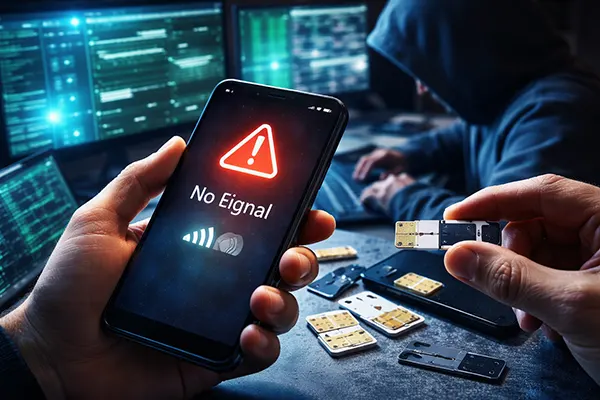
A SIM-swap attack occurs when a fraudster convinces a mobile operator to transfer a victim’s phone number to a new SIM card controlled by the attacker. This can be achieved through social engineering, leaked personal data, or insider corruption within telecom companies. Once the transfer is completed, the victim’s phone loses signal, and the attacker begins receiving calls and SMS messages, including 2FA codes.
In 2026, SIM-swap fraud continues to target cryptocurrency holders, executives, influencers and remote workers. Publicly available personal data from data breaches makes identity verification by call centre staff easier to bypass. Attackers often combine phishing emails with SIM swaps: first they obtain login credentials, then they trigger password resets that rely on SMS verification.
The financial and reputational damage can be severe. Corporate email compromise, unauthorised bank transfers and takeover of business social media accounts are common outcomes. The critical factor is speed. Victims frequently notice loss of signal but underestimate the urgency, assuming it is a network issue rather than an active attack.
Practical Measures to Reduce SIM-Swap Risk
The first step is to contact your mobile operator and enable additional account protection. Many UK and EU operators now offer SIM-swap locks, port-out restrictions or mandatory in-store verification for number transfers. These options are not always activated by default and must be requested explicitly.
Secondly, minimise reliance on SMS-based 2FA wherever possible. Replace SMS with app-based authentication or hardware keys for email, cloud storage, banking and domain registrars. Email accounts are especially critical, as they are typically used to reset other services. If email is protected only by SMS, a SIM swap can cascade into total digital compromise.
Finally, monitor early warning signs. Sudden loss of mobile service without explanation, unexpected “no SIM” messages or password reset notifications you did not request should be treated as incidents. Immediate contact with the mobile operator and freezing sensitive accounts can significantly limit damage.
Designing a Robust Backup Strategy for Authentication
Strong authentication is not only about blocking attackers; it is also about ensuring continuity. If your smartphone is lost, damaged or factory-reset, you must still be able to access critical accounts. A secure setup always includes backup methods that are independent of the primary device.
Most major services in 2026 provide recovery codes during 2FA setup. These are single-use codes designed to regain access if the main factor is unavailable. They should never be stored in email drafts or cloud notes protected by the same login. The correct approach is to print them and store them in a secure physical location, such as a home safe, or to keep them inside an encrypted offline archive.
For authenticator apps, enable encrypted backups if available. Some applications allow secure cloud synchronisation protected by a separate passphrase. This reduces the risk of losing all TOTP entries when switching devices. However, ensure the backup password is unique and not stored on the same handset.
Separating Primary and Backup Factors
A resilient configuration separates the main authentication device from the backup. For example, use a hardware security key as the primary factor and keep a second registered key stored securely at home. Alternatively, maintain one authenticator app on your daily smartphone and a second instance on a secondary device kept offline.
Password managers with built-in 2FA support can also help, but they must be handled carefully. If both your passwords and second factors are accessible from the same unlocked phone, the security boundary is reduced. In professional environments, it is advisable to combine a password manager, a hardware key and an independent recovery mechanism.
Review your authentication setup at least once a year. Remove old phone numbers from account recovery options, update backup codes after use, and test recovery procedures before an emergency occurs. A working key is only reliable if it continues to function under stress. In 2026, treating your smartphone as critical infrastructure rather than a casual gadget is the safest mindset.
Popular topics
-
 How to Properly Monetise an App in 2025: New Trends and E...
In 2025, the app economy continues to grow at a …
-
 Integrating Unreal Engine into Casino Game Development: A...
The gaming industry stands on the brink of a revolution, …
-
 Top 3 Programs for Designers: A Detailed Review
In the ever-evolving world of digital design, the tools and …
-
 Top 5 popular programs for game developers
In the ever-evolving world of game development, the tools and …
-
 Guard Against Cyber Threats: Top Antivirus Picks for Your PC
The digital age has brought with it an era of …