
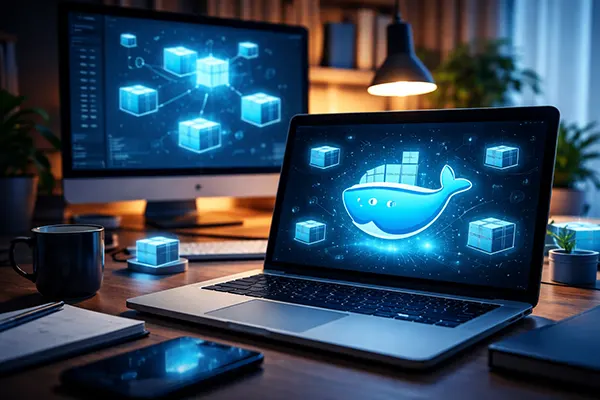
Safe Software Testing on a PC Using Docker Containers
Testing unfamiliar software on a personal computer always carries certain risks. Applications downloaded from repositories, experimental builds, or development tools may contain unstable code, incorrect dependencies, or even malicious components. In professional development environments, engineers rarely run such software directly on the main operating system. Instead, they isolate applications inside containers. Docker has become one of the most practical tools for this purpose. It allows developers, testers, and advanced PC users to run applications in isolated environments without affecting the host system.
Why Docker Containers Are Useful for Safe Testing
Docker containers provide an isolated runtime environment where applications can be executed without direct interaction with the host operating system. This isolation significantly reduces the risk of system instability. If a tested program crashes or behaves incorrectly, the container can simply be stopped or removed without leaving residual files in the main system.
Another advantage is reproducibility. A Docker container is created from an image that contains the exact configuration of the software environment: operating system libraries, runtime components, and application dependencies. When developers test software inside containers, they know the program runs under the same conditions every time.
Containers are also lightweight compared with traditional virtual machines. Instead of running a full guest operating system, Docker shares the host kernel while isolating processes. This means containers start quickly and consume fewer system resources, making them suitable even for mid-range PCs.
Differences Between Containers and Virtual Machines
Virtual machines simulate entire computers. Each VM includes its own operating system, virtual hardware drivers, and resource management layers. While this provides strong isolation, it also increases resource usage. Running multiple virtual machines often requires a powerful processor and a large amount of memory.
Docker containers work differently. They rely on the host operating system kernel while isolating applications using namespaces and control groups. This architecture reduces overhead and allows containers to launch in seconds. For software testing tasks, this speed is extremely useful.
Because containers are lightweight, testers can create multiple environments quickly. For example, one container can run an application with Python 3.10 while another runs the same application with Python 3.12. This helps developers identify compatibility problems without modifying the main system.
Setting Up Docker on a Personal Computer
Installing Docker on a PC has become straightforward in recent years. For Windows and macOS systems, Docker Desktop provides a graphical interface and built-in tools for managing containers and images. On Linux distributions, Docker can usually be installed directly from official repositories.
Before installation, it is important to check hardware virtualisation support. Modern CPUs include technologies such as Intel VT-x or AMD-V that allow container management layers to function correctly. Enabling these options in BIOS or UEFI settings may be required.
Once Docker is installed, users interact with it through the command line or graphical management tools. Containers are launched from images, which are essentially templates describing how the environment should be built. Images can be downloaded from trusted registries or created manually using Dockerfiles.
Creating a Test Environment with Docker
To run a test environment, the user first selects or builds an appropriate Docker image. For example, a developer testing a web application might start from an official Node.js or Python image. These base images already contain the required runtime environment.
A container can then be launched using a simple command such as docker run. During this step, the user can define network rules, mount directories, and specify environment variables. This flexibility allows testers to replicate almost any development environment.
Once the container starts, the application runs inside an isolated environment. If the program modifies system files or installs dependencies, those changes remain inside the container filesystem. When the container is removed, the environment disappears entirely.

Security Practices When Testing Software in Containers
Although Docker containers provide isolation, safe testing still requires careful configuration. Containers should ideally run with minimal privileges. Limiting permissions reduces the possibility that a compromised application could access sensitive system resources.
Network restrictions are another useful protection measure. When testing unknown software, it is advisable to control outbound connections or run the container in a restricted network mode. This prevents unexpected communication with external servers.
Using trusted base images is equally important. Official images maintained by reputable projects are generally more reliable than random images uploaded by unknown users. Checking image signatures and update histories helps avoid introducing vulnerabilities into the test environment.
Maintaining Clean and Reusable Test Containers
One of Docker’s strengths is the ability to recreate environments quickly. Instead of modifying containers repeatedly, experienced users often rebuild them from images whenever testing begins. This ensures the environment remains clean and predictable.
Version control can also be applied to container configurations. Dockerfiles and environment scripts can be stored in repositories alongside the application code. This approach allows teams to recreate identical test environments across multiple machines.
Finally, regular updates are important. Both Docker itself and the base images used for containers receive security patches. Keeping these components up to date helps maintain a safe testing workflow while reducing exposure to known vulnerabilities.
Popular topics
-
Safe Software Testing on a PC Using Docker Containers
Testing unfamiliar software on a personal computer always carries certain …
-
 Low-Code and No-Code: How a New Generation of Software Re...
The rapid maturation of low-code and no-code tools has transformed …
-
 Best AI Apps for Mobile Learning in 2025: A New Approach ...
Artificial intelligence continues to reshape how people learn and acquire …
-
 How to use Google Keyword Planner
At the moment, there are many resources and tools on …
-
 Duolingo – Language Learning Through Gaming
Duolingo is one of the most popular mobile apps for …