
How to Check What Data a Mobile App Collects Before Installation
Mobile applications have become an essential part of daily life, but many users install new apps without reviewing what information those apps can access. In 2026, both Android and iOS provide more transparency than ever before, allowing people to evaluate privacy practices before downloading software. Understanding how to review data collection details can help users make informed decisions, reduce unnecessary exposure of personal information, and identify applications that request more access than they genuinely need.
Where to Find Data Collection Information Before Downloading an App
Before installing an application, the first place to check is the official app store listing. Google Play and Apple’s App Store require developers to disclose categories of information collected by their apps. These disclosures typically include personal identifiers, location data, contact information, browsing activity, device details, and financial information when applicable.
On Android devices, the “Data Safety” section within Google Play provides details about what information is collected, whether it is shared with third parties, and whether the data is encrypted during transmission. Users can also see if information can be deleted upon request. While developers submit this information themselves, Google may take action against inaccurate declarations.
Apple provides a similar feature through “App Privacy” labels. These labels categorise information into sections such as data used to track users, data linked to identity, and data collected without direct association with a user profile. Reviewing these labels often reveals whether an application relies heavily on advertising networks or behavioural analytics.
Understanding the Meaning of Privacy Labels
Privacy labels should not be viewed as technical documentation but as a simplified summary of an application’s behaviour. For example, a weather application may legitimately require approximate location data, while a calculator app requesting precise location information would raise reasonable questions about necessity.
It is also important to distinguish between data collection and data sharing. Some apps collect information exclusively for internal functionality, whereas others transmit user data to advertising partners, analytics providers, or external service providers. The latter practice increases the number of organisations that may gain access to personal information.
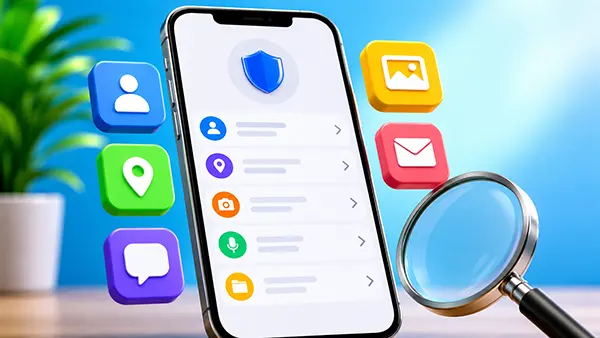
Users should pay particular attention to categories such as contacts, messages, photos, microphone access, camera access, and precise location. These permissions can expose highly sensitive information and should generally be justified by the core functionality of the application.
How to Evaluate App Permissions Before Installation
Permissions represent one of the clearest indicators of how an application may interact with a device. Both Android and iOS display permission requests when features are first used, but users can often anticipate these requests by examining the app description and privacy disclosures before installation.
A useful approach is to compare requested permissions with the app’s intended purpose. Navigation software requires location access, video-calling services need camera and microphone permissions, and messaging apps require access to contacts. Requests that appear unrelated to the main function deserve additional scrutiny.
Modern operating systems increasingly limit unnecessary access through permission controls. Users can grant temporary access, allow approximate rather than precise location, or deny certain permissions altogether. Understanding these controls helps reduce data exposure even after installation.
Warning Signs That Deserve Attention
An application that requests extensive permissions despite offering a simple service may indicate aggressive data collection practices. For example, a basic wallpaper app rarely needs access to contacts, call logs, or precise location data.
Another warning sign is a lack of transparency within the app store listing. Applications that provide minimal information about privacy practices or fail to explain how collected data is used should be approached cautiously, particularly when they come from unfamiliar developers.
User reviews can also provide useful insights. Although reviews should not be treated as definitive evidence, recurring complaints about excessive permissions, intrusive advertising, battery drain, or unexpected background activity may indicate broader privacy concerns.

Additional Tools for Investigating App Privacy
Users seeking a deeper understanding of an application’s behaviour can consult independent privacy researchers, cybersecurity publications, and consumer protection organisations. Many regularly publish analyses of popular apps and identify potential privacy risks that may not be immediately obvious from store listings.
Developer reputation is another valuable factor. Established companies typically maintain public privacy policies, security documentation, and support channels. Reviewing these resources can provide greater clarity regarding data retention periods, sharing practices, and compliance with privacy regulations such as the GDPR.
Privacy-conscious users may also examine an app’s update history. Applications that receive regular security updates and bug fixes generally demonstrate ongoing maintenance. In contrast, abandoned apps may present increased privacy and security risks over time.
Creating a Personal Privacy Checklist
Before installing any application, consider whether the requested information is necessary for the service being offered. A simple comparison between functionality and permissions often reveals whether data collection appears reasonable.
It is equally useful to review the developer’s privacy policy, identify whether data is shared with third parties, and determine whether account deletion options are available. These factors provide a clearer picture of how personal information may be handled throughout the app’s lifecycle.
By combining app store privacy labels, permission analysis, developer research, and independent reviews, users can make better-informed decisions before downloading software. This process requires only a few minutes but can significantly improve privacy protection and reduce unnecessary exposure of personal data in 2026.
Popular topics
-
 UI/UX Trends in 2025: Screenless Interfaces and Tactile F...
The year 2025 has brought a new wave of transformations …
-
 The best slot manufacturers for the gaming industry
There are a lot of slots in the casino at …
-
 How to choose hosting
Any modern site or portal needs high-quality hosting. But questions …
-
 Open Source Apps for Smartphones: The Most Useful and Sta...
Open source software continues to gain traction in the mobile …
-
 Smartphones of the Future: Trends and Forecasts for the C...
Smartphones have become an integral part of our daily lives, …