

Edge AI on Laptops: Running Local Models Without a GPU in 2026
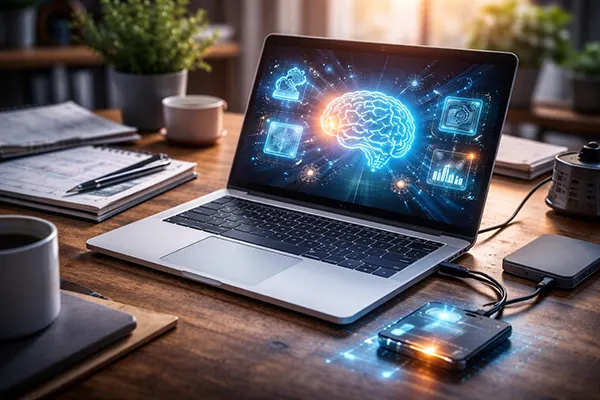
Edge AI has moved beyond experimental setups and into everyday workflows. By 2026, running machine learning models directly on a laptop without a dedicated GPU is not only possible, but often practical for a wide range of tasks. Advances in lightweight architectures, quantisation techniques, and CPU optimisations have changed how developers, analysts, and even non-technical users approach artificial intelligence. This article explains what actually works on standard laptops, where the limitations remain, and how to apply local models effectively in real-world scenarios.
How Edge AI Works on CPU-Only Laptops
Modern CPUs have become significantly more capable in handling AI workloads due to improvements in vector instructions such as AVX2 and AVX-512, as well as better multi-threading. Frameworks like ONNX Runtime, TensorFlow Lite, and llama.cpp are specifically designed to take advantage of these features. As a result, even mid-range laptops from the last few years can run inference tasks without relying on cloud infrastructure or discrete GPUs.
Another key factor is model optimisation. Techniques such as quantisation (reducing model precision from 32-bit to 8-bit or even 4-bit) drastically lower memory usage and computational requirements. In 2026, it is common to run compact language models, speech recognition systems, or image classifiers entirely on-device. Tools like GGUF format for LLMs and efficient tokenisers allow models to load faster and operate within limited RAM environments.
Local execution also improves data privacy and latency. Instead of sending requests to remote servers, all processing happens directly on the device. This is particularly relevant for sensitive data analysis, offline environments, or applications where response time matters. However, these benefits come with trade-offs in model size, speed, and accuracy compared to cloud-based solutions.
Practical Setup and Software Stack
Setting up Edge AI on a laptop without a GPU typically involves lightweight inference engines rather than full training frameworks. For language models, llama.cpp and its derivatives remain a widely used option in 2026. They support quantised models that can run on CPUs with minimal configuration, often requiring only a few gigabytes of RAM.
For computer vision and structured data tasks, ONNX Runtime provides a stable and optimised environment. Many pre-trained models can be converted into ONNX format, allowing efficient execution on CPUs. Meanwhile, Python remains the dominant interface, but increasingly, tools offer command-line and GUI-based workflows for non-developers.
Storage and memory planning are essential. Even optimised models can take several gigabytes of disk space. A practical setup often includes 16 GB of RAM as a baseline, SSD storage for faster loading, and proper thread configuration to maximise CPU utilisation. Without these considerations, performance may degrade significantly.
Which Tasks Work Reliably Without a GPU
Not all AI workloads are suitable for CPU-only environments. However, a clear set of use cases has emerged where Edge AI performs consistently well. Text-based tasks are among the most accessible. Running small to medium language models locally allows for summarisation, content drafting, translation, and basic conversational agents without internet dependency.
Speech processing is another strong candidate. Offline speech-to-text engines such as Whisper.cpp or Vosk can transcribe audio in real time or near real time on modern CPUs. This is particularly useful for journalists, researchers, and professionals working with recorded meetings or interviews.
Image classification and lightweight computer vision tasks also function reliably. Applications like object detection in low-resolution streams, document scanning, and OCR can run efficiently without GPU acceleration. However, complex tasks such as high-resolution video analysis or real-time multi-object tracking still require more powerful hardware.
Use Cases That Deliver Real Value
One of the most practical applications is personal productivity. Local AI assistants can help draft emails, summarise documents, or organise notes without sending data externally. This is especially relevant in corporate environments where confidentiality is a priority.
Developers benefit from offline coding assistants that run directly on their machines. While not as powerful as cloud-based models, they provide useful suggestions, code explanations, and debugging hints without requiring constant connectivity.
Education and research also gain from local models. Students and analysts can experiment with AI tools, run small-scale experiments, and analyse datasets without incurring cloud costs. This lowers the barrier to entry and makes AI more accessible for independent learning.
Limitations and Performance Trade-offs in 2026
Despite the progress, CPU-only Edge AI still has clear limitations. Model size remains the primary constraint. Large-scale language models with tens of billions of parameters are impractical to run on standard laptops without severe performance penalties or memory constraints.
Inference speed is another factor. While small models can respond quickly, more complex tasks may take several seconds per request. This affects usability in interactive applications, particularly when compared to cloud-based systems with dedicated accelerators.
Energy consumption and thermal throttling also play a role. Sustained AI workloads can push laptop CPUs to their limits, reducing battery life and triggering thermal management systems. As a result, long-running tasks may require external power and careful system monitoring.
When Cloud or GPU Still Makes More Sense
For large-scale data processing, training custom models, or handling high-resolution multimedia tasks, GPU-based systems remain the better option. Cloud infrastructure provides scalability and access to specialised hardware that cannot be replicated on a standard laptop.
Real-time applications with strict latency requirements, such as advanced video analytics or large conversational systems, also benefit from GPU acceleration. In these cases, Edge AI can still play a supporting role, handling pre-processing or fallback operations when connectivity is limited.
The most effective approach in 2026 often combines both strategies. Local models handle sensitive or routine tasks, while cloud services are used selectively for more demanding workloads. This hybrid model balances performance, cost, and privacy in a practical way.
Popular topics
-
 What is the latest version of 3DS Max
For the creation of a wide variety of projects, including …
-
 Smartphone as a Working Key: 2FA Risks, SIM-Swap Threats ...
By 2026, the smartphone has effectively become a universal working …
-
 Smartphone as a Work Tool: The Best Mobile Apps for Produ...
In today’s business environment, smartphones have evolved into indispensable work …
-
 How Mobile Website Design Adapts to One-Handed Use in 2026
Large phones have changed everyday browsing: many people now scroll, …
-
 Overview of New Features in Adobe Photoshop 2025
Adobe Photoshop 2025 brings a range of innovative features designed …